Furnish your home.
With your budget in sight.
Paste a product link and Nestje fetches the name, price and photo. Sort everything by room, compare options and see exactly what's left to spend.
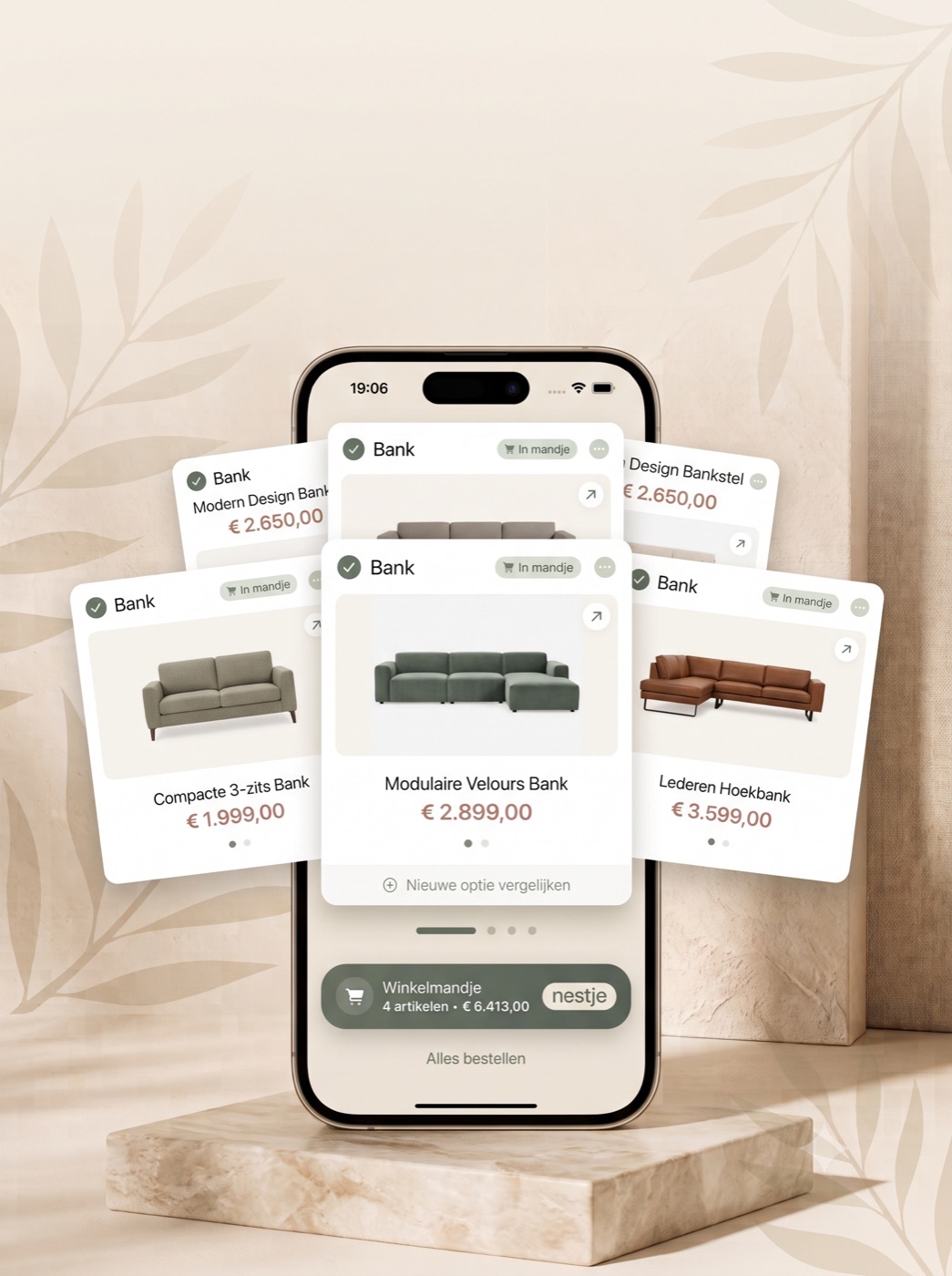
Works with almost any online shop
- IKEA
- Wayfair
- John Lewis
- Dunelm
- Habitat
No more open tabs, screenshots and spreadsheets.
Everything you collect while furnishing, in one place. Organised by room, with a budget that keeps count for you.
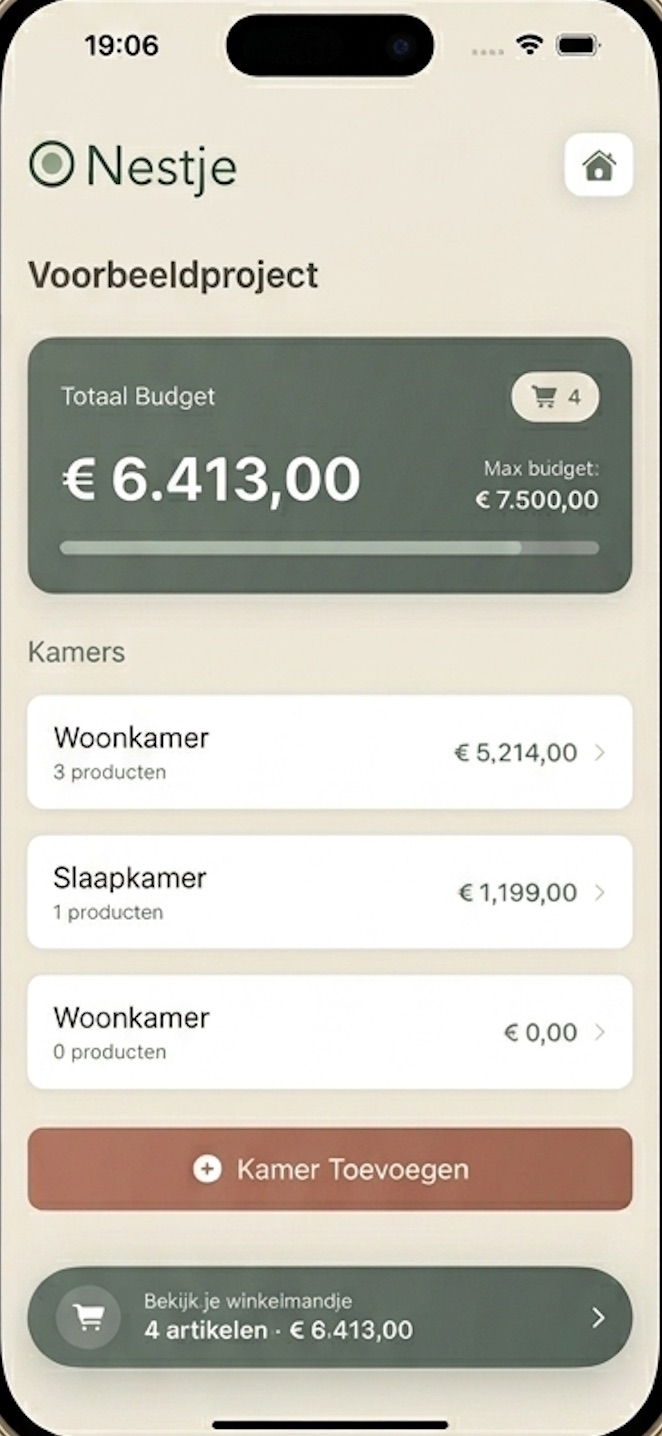
One number you can trust.
Set a maximum for your whole home and see at a glance how much you've spent, per room and in total.
- Live total — every product and every option counts straight away.
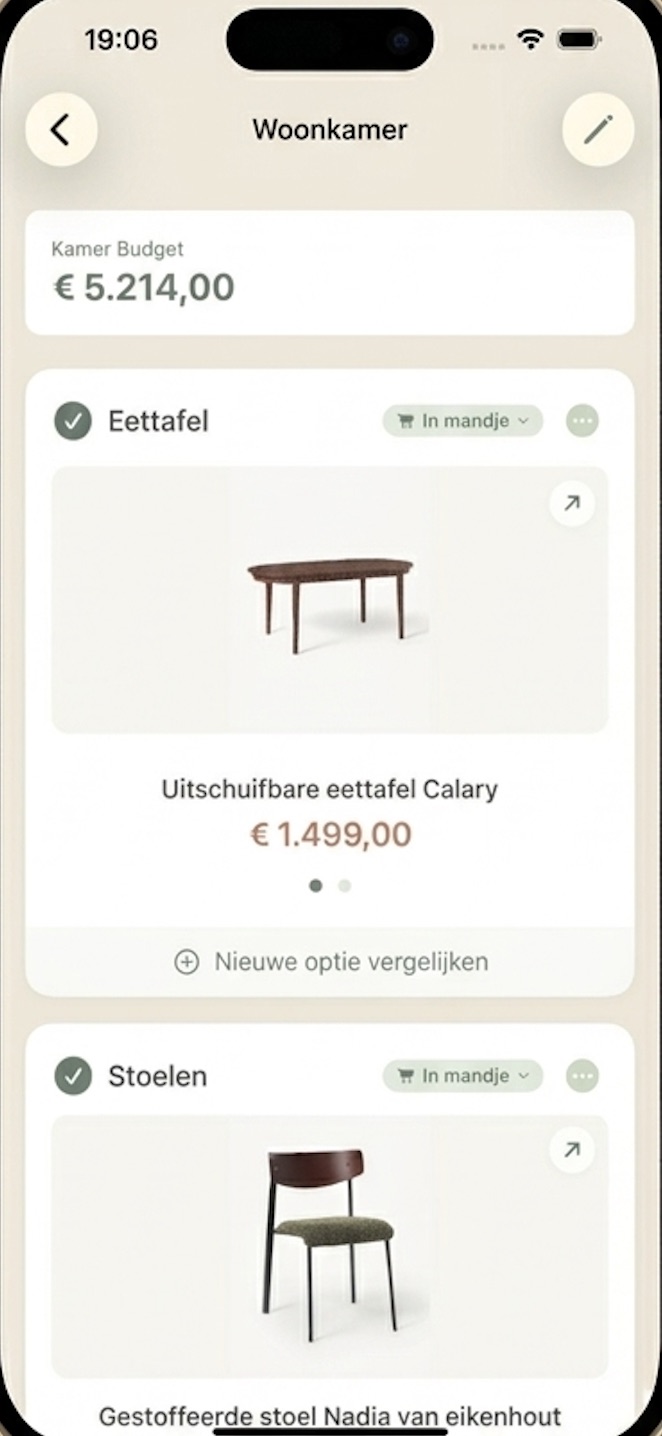
- Per room — living room, bedroom, attic: each with its own subtotal.
- Several projects — first home, renovation and garden side by side.
Can't decide? Keep them all.
Put several options under one product: another colour, size or shop. Swipe between them and pick your favourite. Only that one counts towards your budget.
- A link is all it takes — name, price and photo are fetched automatically.
- Options side by side — compare without losing anything.
- Or fill it in yourself — for that second-hand find.
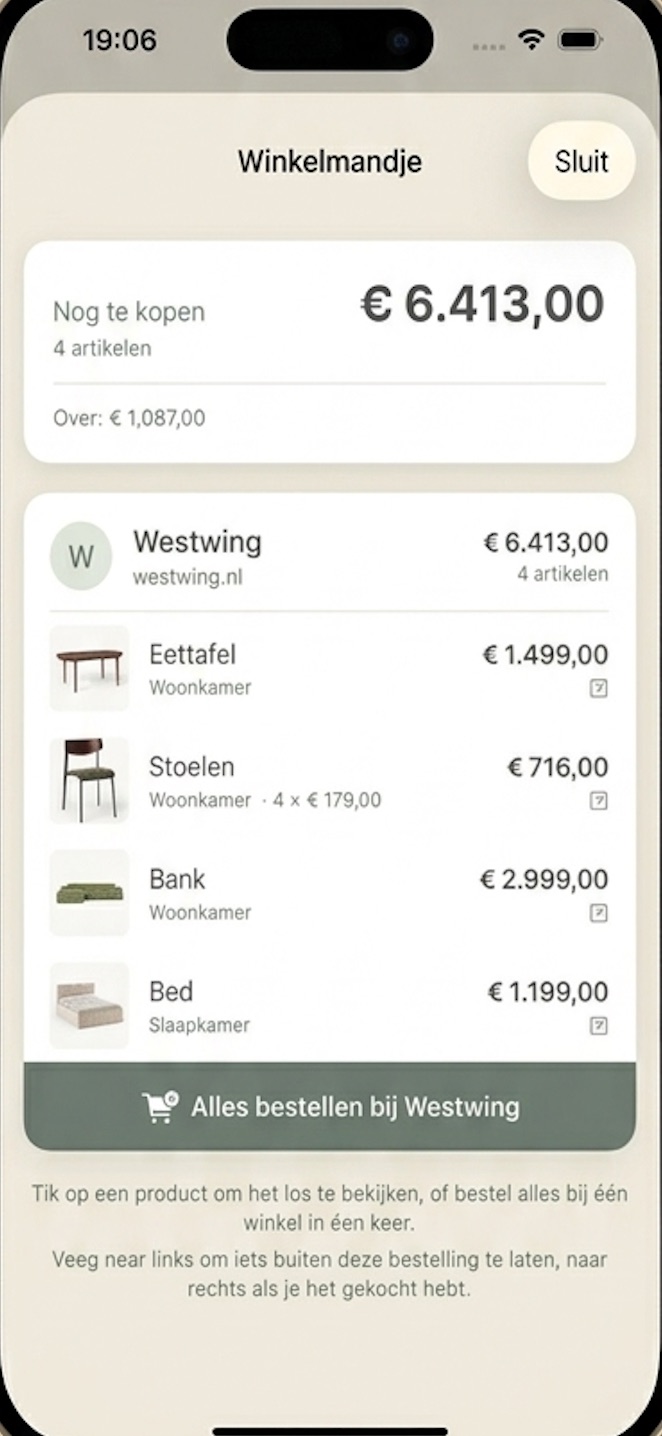
Done choosing? Order per shop.
Your basket groups everything by online shop. Order everything from one shop in one go, or open a product on its own.
- Grouped per shop — with the total for each shop.
- Tick off what's arrived — swipe right once you've bought something.
- What's left — see straight away how much budget remains.
Inspiration you can use right away.
Collections are curated lists from shops and interior makers. See something you like? Add it to your own project with a single tap.
- On your home screen — new collections are there as soon as you open the app.
- As a product or an alternative — put a find next to what you already had and compare.
- Make your own collection — with Creator you publish a project as a collection, with a link to share.

Sorted in three steps.
Create a project
Give it a name, set your budget and add your rooms. Done in a minute, without signing in.
Collect your finds
Spotted something nice? Share the link with Nestje or pick something from a collection. The total updates itself.
Choose, order, tick off
Select your favourite, order per shop and keep track of what has arrived. So you always know what's still to do.
Furnishing is rarely a solo job.
Share one code with your partner, housemate or parents. Everyone sees the same list, the same prices and the same budget, updated while one of you is in the shop and the other is at home.
Start for free. Upgrade as your home grows.
Your first ten products are free, with no trial that runs out. Need more room? Choose Plus.
Free
To get started at your own pace.
- 10 products or options
- All rooms and your budget
- Share with one other person
- Browse and use collections
Plus
RecommendedFor your whole home.
- Unlimited products and alternatives
- Compare as many options as you like
- With Yearly: share with up to 5 people
- Everything in Free
Creator
For makers and brands.
- Publish your projects as collections
- Your own link to share
- On everyone's home screen once approved
- Everything in Plus Yearly
You subscribe in the app, through your Apple ID, and can cancel any time in your iPhone's settings. The App Store shows the price in your own currency.
Download on theApp StoreWhat does Nestje cost?
You start for free, with room for 10 products or options. After that you choose Nestje Plus for €19.99 a year or €2.99 a month.
Does it work with my favourite shops?
Almost every online shop works, from IKEA to Wayfair and John Lewis. If fetching the details ever fails, you simply fill in the name and price yourself.
What are collections?
Curated lists of products from shops and interior makers. You'll find them on the app's home screen, and one tap adds something to your own project.
Is my project private?
Yes. Only you can access it. A backup is kept on our server in the EU, linked to your account, so you never lose anything. Others can only see a project once you share it.
Can I stop sharing later?
Always. One tap turns collaboration off, and the project is yours alone again.
Is there an Android version?
Nestje is currently only available for iPhone.
Start on your new interior.
Create a project, paste your first product link and watch your home take shape.
Download on theApp Store