Your picks, in someone else's home.
With Creator you publish your own collections in Nestje. People furnishing their home add your products to their own project with a single tap.
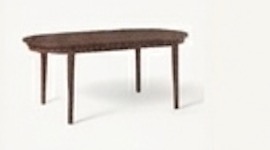
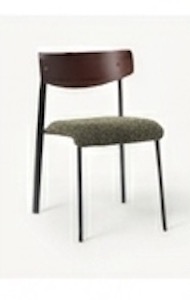
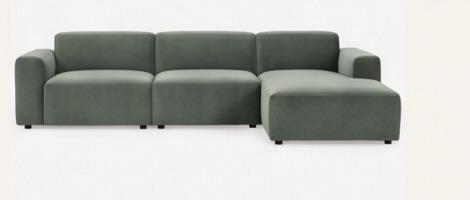
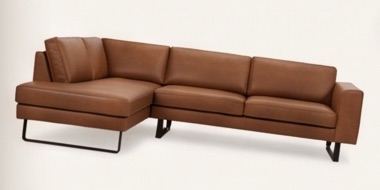
A home for your taste, where people actually buy.
On the home screen
Once approved, your collection appears on the app's home screen for users in all six languages.
Your own link
Every collection gets a share link straight away for your bio, newsletter or stories. It works even before approval.
Your name on it
Your name or brand and a link to your socials appear with your collection. Anyone who taps it lands with you.
Everything in Plus
Unlimited products and alternatives, and projects shared with up to five people.
From idea to home screen in four steps.
Get Creator in the app
Open Nestje and go to Settings → Subscription → Get Nestje Plus. Choose Creator.
Put your collection together
Publish a project as a collection in the app, or create one on the website in the creator portal.
Submit it
You get a link to share right away. We review your collection, usually within a few days.
Live
Approved? Then your collection appears on other users' home screens.
Make your collection in the app or on your laptop.
In the app
- Publish a project you already have
- Your rooms become the groups in the collection
- The chosen option of each product comes along
On the website
- Paste dozens of product links at once
- Name, price and photo are fetched for you
- See the status of all your collections in one place
Sign in with the same account as in the app: Apple, Google or email.
How we keep collections good.
Write in English
Collections are shown in every language. So title, subtitle, groups and product names go in English; brand names can stay.
A person takes a look
Every collection is reviewed by hand before it reaches the home screen. We may edit texts, photos or links.
Edit until approval
Until your collection is approved, you can change anything. After that, email us what needs changing.
Your links stay as they are
Product links are kept as you enter them, including any referral code.
Reports
Users can report a collection. After five reports it goes offline until we've reviewed it.
If your subscription ends
You can no longer edit your collections or submit new ones.
Creator
Includes everything in Plus Yearly. The subscription runs through Apple and can be cancelled any time.
- Publish your projects as collections
- Your own link to share
- On everyone's home screen once approved
- Everything in Plus Yearly
Do I need to be a business or brand?
No. Stylists, interior lovers, influencers and brands: anyone with a good selection can become a Creator.
Can I make collections without an iPhone?
You get the subscription in the app, so you need an iPhone once for that. After that you can also make collections on your laptop, in the creator portal.
How long does review take?
Usually a few days. Your share link already works in the meantime.
I have Creator, but the portal says I don't.
Sign in on the website with the same account as in the app, and open the app once so it can pass on your subscription. Still stuck? Email support@nestje.app.
Ready for your first collection?
Get Creator in the app and start in the app or in the creator portal.